

Dynamic security policy enforcement with the Cisco ACI Endpoint
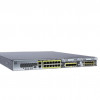 Firepower 2100 Series firewalls
Cisco
Release Notes for Cisco Secure Firewall Threat Defense with Firewall Management Center, Version 10
Deployment and policy management
Deployment and policy management features in Version 10.0.0
Feature: Dynamic security policy enforcement with the Cisco ACI Endpoint Update App and Dynamic Attributes Connector
Minimum Management Center: 10.0.0
Minimum Threat Defense: Any
Details: The dynamic attributes connector enables you to send Cisco APIC dynamic endpoint group (EPG) and endpoint security group (ESG) data from Cisco APIC tenants to the Firewall Management Center.
Cisco APIC defines endpoint groups (EPGs) and endpoint security groups (ESGs) that have network object groups. Create a connector in the dynamic attributes connector that pulls that data from Cisco APIC tenants to the Firewall Management Center, on which you can use those objects in access control rules.
Feature: Simultaneous editing of access control policies by multiple users
Minimum Management Center: 10.0.0
Minimum Threat Defense: Any
Details: In previous releases, if two or more users simultaneously edited an access control policy, the first user who saved would retain their changes, and all other users would immediately lose all of their edits. Now, these users have the ability to selectively merge their changes, and changes that do not conflict with the first user’s saved changes will automatically be accepted. This improves collaboration between users and reduces the need to lock the policy during edits.
Encrypted traffic handling
Encrypted traffic handling features in Version 10.0.0
Feature: New decryption policy user interface, including basic and advanced policy creation
Minimum Management Center: 10.0.0
Minimum Threat Defense: Any
Details: Easily create standard decryption policies using a new interface tailored to the most common and effective scenarios, with single-page certificate management. Or, stick with the legacy wizard and advanced rules-based policy editor.
After Firewall Management Center upgrade, existing policies are labeled as legacy policies and continue to work as before. You can switch from a standard policy to legacy, but not from legacy to standard.
Feature: Change server certificates without impacting decryption by using an internal certificate to decrypt/reencrypt traffic
Minimum Management Center: 10.0.0
Minimum Threat Defense: 10.0.0
Details: You can now use a certificate and key defined in the decryption rule to decrypt traffic. This certificate and key can be the internal server's certificate or it can be a different certificate; in addition, you can change the certificate and key at any time. You can replace the certificate using the API, a system like the Automated Certificate Management Environment (ACME), or using Object Management.
Health monitoring
Health monitoring features in Version 10.0.0
eature: Event datastore alerts when connections fail
Minimum Management Center: 10.0.0
Minimum Threat Defense: Any
Details: The MonetDB Statistics health module now alerts when there are no active connections to the event database, which can indicate connection failure.
High availability/scalability
Feature: More container instances (21) on the Secure Firewall 4225 in multi-instance mode
Minimum Management Center: 10.0.0
Minimum Threat Defense: 10.0.0
Details: The Secure Firewall 4225 in multi-instance mode now supports 21 container instances. The previous limit was 14.
Feature: Cluster redirect: flow offload support for the Secure Firewall 4200 asymmetric cluster traffic
Minimum Management Center: 10.0.0
Minimum Threat Defense: 10.0.0
Details: For asymmetric flows, cluster redirect lets the forwarding node offload flows to hardware. This feature is enabled by default but can be configured using FlexConfig.
When traffic for an existing flow is sent to a different node, then that traffic is redirected to the owner node over the cluster control link. Because asymmetric flows can create a lot of traffic on the cluster control link, letting the forwarder offload these flows can improve performance.
Added/modified commands: flow-offload cluster-redirect (FlexConfig), show conn, show flow-offload flow, show flow-offload info
Feature: IPsec flow offload for traffic on the cluster control link on the Secure Firewall 4200 in distributed site-to-site VPN mode
Minimum Management Center: 10.0.0
Minimum Threat Defense: 10.0.0
Details: For asymmetric flows in distributed site-to-site VPN mode, IPsec flow offload now lets the flow owner decrypt IPsec traffic in hardware that was forwarded over the cluster control link. This feature is not configurable and is always available with IPsec flow offload.
Added/modified commands: show crypto ipsec sa detail

