

Multi-camera view switching
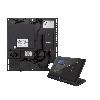 Flex UC-C100-T
Crestron
Improvements
Interpreter agent support during meetings
- The Interpreter agent, which enables real-time interpretation in up to nine languages so each participant can speak and listen in the language of their choice, is now available in Teams Rooms on Windows with a Teams Rooms Pro license. Meeting participants can also opt-in to have Interpreter simulate their personal voice for a more inclusive experience. 20 hours of interpretation included per room account per month with a Teams Rooms Pro license. Access beyond included hours is subject to available capacity. This is controlled using the Teams Meeting Policy.
Multi-camera view switching
- When in a meeting with a Teams Room on Windows configured with multiple cameras, you can switch between the room’s camera views using the participant panel on the console or the video tile controls on a touch board, helping you optimize your view.
Bug fixes
- Disabled "Voice Clarity” feature in Windows to resolve and prevent audio processing conflicts.
- Direct Guest Join with Teams Rooms on Windows and Google Meet: Organizations now have expanded meeting interoperability with two-way Direct Guest Join (DGJ) between Google Meet and Teams meetings. Teams Rooms on Windows devices can join Google Meet meetings and Google Meet devices can join Teams meetings. Users can join with one click through the calendar or by meeting ID.

