

New Features and Updates for Logitech Connectivity Products
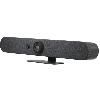 Rally Bar Mini
Logitech
New Features:
- RightSight 2 Grid View (Beta): Enables equitable representation in meetings by zooming in on people. In-person participants are displayed in up to four grids. More info here.
- Zoom Rooms Appliance: Supports Multi-Stream, showing five video streams.
- Microsoft Teams Rooms on Windows Support: Offers a single video stream with up to four grids. Requires Sync App (version 2.5.293 and above), available here.
- Local Network Access: Now includes a status page for device health monitoring.
- Additional platform support coming in future CollabOS updates.
Enhancements:
- Zoom Rooms: Updated to version 5.12.6. HDMI input now supports up to 1080p@30fps, and energy conservation improvements in Device Operation and Idle Mode controls.
- Multi-Certificate Support: Upload up to 50 CA certificates via Local Network Access. Instructions here.
- Local Network Access: FQDN support available; device requires a reboot to update DNS after hostname change.
- Microphone Performance: Enhancements for better voice capture in high-noise environments.
Fixed Bugs:
- Microsoft Teams Rooms on Windows: Fixed audio playback issues and camera failures.
- Microsoft Teams Rooms on Android: Resolved black video stream issues and compliance notifications.
- Zoom Rooms Appliance Mode: Fixed various issues including camera recognition and audio sharing.
- Logitech Sync: Addressed incorrect state indications and update notifications.
- Logitech CollabOS: Fixed CET availability issues and LLDP attributes population.
Open Issues:
- RightSight 2 Grid View (Beta): Video may lag while zooming in during meetings.
- 802.1x Authentication on Local Network Access: Proxy and TCP/IP details cannot be modified post-authentication.
- Status page: Wireless 802.1x authentication status not displayed.
Update Instructions:
- For enabling Grid View, consult related articles linked above for detailed guidance.

