Add auto-recovery mechanism for Poly cameras for quickly stream recover.
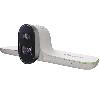 Studio E70
Poly
Improvements
Camera auto-recovery mechanism
- There's a new auto-recovery mechanism for Poly cameras that quickly recovers a stream following an error.
- This recovery mechanism can swiftly recover a stream after it detects an error. Users may experience a few seconds of black video during this time.
- In cases where the auto-recovery mechanism fails to resolve the issue, HP Poly has also designed a manual intervention option. You can now recover a camera stream by muting and unmuting the camera or by swapping tracking modes.
Known Issues
Camera
EN-234479
- On a Poly G7500 system with three USB-connected Poly Studio E70 cameras powered by Poly G7500 LLN ports, one or more Poly Studio E70 cameras may not properly connect to the video conferencing system after restart.
Workaround: Restart the system.
EN-219891
- On a Poly G7500 system with a USB-connected Poly Studio E70 camera, camera controls are no longer configurable in Poly Lens.
Workaround: None. These settings were never meant to be configurable.
PVENG-20988
- On Poly Studio X72, Poly Studio X70,and Poly Studio G62 or Poly G7500 using a Poly Studio E70, camera presets fail to save.
Workaround: No workaround.
Configuration
EN-241656
- On a Poly G7500 system with an IP- connected Poly Studio E70 camera, the LED blinks blue when pairing is unsuccessful.
Workaround: Unplug and replug the camera.
Partner application
EN-233295
- On a Poly Studio X70 system with a connected Poly Studio E70 camera in Zoom mode, switching the Poly Studio E70 camera and enabling Smart Gallery may result in the system defaulting back to the built-in camera.
Workaround: Use one of the other available tracking modes including, manual, speaker focus, or auto-framing.