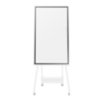
Flip 2 (WM55R/WM65R)Samsung
Flip 2 (WM55R/WM65R)
1.1K views

Samsung Flip2 does not allow connection through Surface Book 2?

Windows Build 20H2 is installed

All drivers up to date.

Unfortunately only a short connection establishment, then authorize on the monitor. Afterwards abort.

user77035
user77035 / newcomer (8)
 

Answers

Top answer

After the error description, it is about the wireless display.

  • Press Windows key + P -> select expanded or duplicate.
  • Press Windows key + K -> select your flip here and confirm this on the flip.
  • check if your laptop / computer is WiDi capable.
  • Perform an update on the Flip, click on Menu -> Settings -> Support -> 2x Softwareupdate -> update now
  • Accept the AGB's on the Flip -> Menu -> Settings -> AGB's

You know a better answer?

The question about Samsung has already been answered, but there may be a better solution or alternative available by now. If you know it, answer the question now and increase your reputation as an industry expert in our B2B community.

Related Questions Related Questions

Receive Important Update Messages Stay up to date on Samsung

Was the content helpful to you?

Advertisement Advertise here?
Banner Logitech