

Refined firmware update process to align with updated authorization and verificationrules.
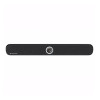 TeamConnect Bar M
Sennheiser
New features
Option to disable 'Deep Sleep Mode'
- Introducing configurable energy-saving modes, allowing faster wake-up or reduced
power usage based on the preferred setting. - The default energy-saving mode has been changed from Low Power to Eco mode,
enabling shorter wake-up times and continuous network availability out of the box.
Default camera mode
- Added configurable default camera modes, allowing AV admins to define a consistent
start view for every call and reduce manual adjustments.
Continuous Dante® stream for mic signal (also when not in conference)
- Added an option to always keep Dante® audio streaming active, even outside of calls, for integration with external systems or assistive listening.
Dante® audio encryption
- Introducing support for encrypted Dante® streams, providing enhanced security for
sensitive environments and compliance with modern IT policies.
Improved brute force protection
- Improved handling of failed connection attempts to enhance system security and
resilience against misuse.
Enhanced security during firmware update process
- Refined firmware update process to align with updated authorization and verification
rules.
Improvements
Video optimizations
- Optimized the AI camera modes with improved zoom limits, framing logic, and
reaction timing for a more consistent and natural meeting experience
Visual feedback when waking from network standby
- Added visual LED feedback when waking from standby, providing a clear indication
that the device is becoming active.
MS Teams V5 certification
- Fulfilled Microsoft Teams version 5 certification, ensuring full compliance and
optimized performance with the latest Teams release.
Removal of 'Manual Exposure' feature
- Removed the "Manual Exposure" option from camera settings to ensure a consistent
frame rate and simplify configuration.
TC Bar M network stability improved
- Optimized interface handling in TC Bar M split mode, including enhanced routing
capabilities that allow communication from different network domains.
TC Bar M AEC double-talk performance improvement
- Enhanced Acoustic Echo Cancellation (AEC) for better double-talk performance in
conference calls.
Bug fixes
Volume sync not working properly
- Fixed inconsistent volume synchronization between TC Bar and host PC volume,
ensuring reliable and accurate level display and control.
Unexpected behavior of the camera after pan/tilt
- Fixed an issue where the camera reset to full field of view after pan/tilt, instead of
continuing from the last used position.
DisplayLink® visible on USB even if disabled in CC (HDMI)
- Fixed an issue where DisplayLink® was temporarily exposed despite HDMI® being
disabled.
HDMI® outputs active during boot while HDMI® is disabled in Control Cockpit
- Fixed an issue where HDMI® output was briefly active during boot, even when
disabled.
Sometimes the TC Bar cannot be found in phone list when in Bluetooth® pairing mode
- Fixed an issue where TC Bar did not reliably enter Bluetooth® pairing mode after
multiple connect/disconnect cycles.
UAC downstream issues (interruptions/delays/artifacts)
- Fixed occasional playback dropouts and stuttering during conferences.
TC Bar M cannot disable Bluetooth®
- Fixed an issue where Bluetooth could not be disabled after streaming audio in certain
scenarios.
Second Mic slider removed
- Removed the second mic slider visible in the settings of the host computer’s
operating system.
Known issues
- Occasional clicking noises may occur on Dante® outputs from TC Bar S or M during
audio transmission, particularly when encryption is enabled. The issue is under
investigation. - Echo may occur during Dante® operation in split mode if TC Bar M is deployed in a
network with advanced traffic management and multicast control mechanisms. In
some setups, network behavior can cause timing shifts in the Dante® domain, leading
to audible echo on the far end. Possible workarounds:
- Use single domain mode.
- Disconnect Ctrl port when using split mode.
- Deactivate IGMP snooping on your Dante® network.
