Remove Peripheral firmware upgrade from web configuration
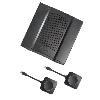 ClickShare CX-50
Barco
Improvements
- Improved Miracast not appearing after power cycle when configured in Infrastructure mode.
- Improved Google Cast stability for sessions lasting over 24 hours after a reboot.
- Enhanced Miracast stability following a Base Unit reboot
Bug fixes
- Fixed device disconnection issues in wireless client mode.
- Fixed network setting issue when Clickshare Button Gen4.1 connect to external access point WPA2 or Cisco Wireless network using EAP-TLS
Open problems
- Sharing through Google Cast isn't working with Pixel Phones.
- Due to critical security updates since firmware 2.22, Digital Signage is no longer officially supported. For more information, please refer to the KB15221.
Important notes
- When the desktop app encounters issues using peripheral devices at security levels 2 or 3, we recommend using Desktop App version 4.45.00 or higher. More information can be found in KB15298.
- In order to start the ClickShare App on the Button automatically when plugging it in, version 1.24 of the ClickShare Windows Driver needs to be installed on the device. More information can be found in KB12204.
- To optimize Wireless Presentation performance, we highly recommend always using a free 5GHz Wi-Fi channel. Changes and settings could be applied via ClickShare Configurator.
- Upgrading past Version 02.22.00 will not allow you to roll back to older versions before 02.22.00.