
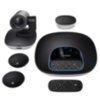
GroupLogitech
Group
<1K views

Why does Logitech Group not connect to the large monitor?

Hello,no source is displayed on the monitor via HDM1 & HDMI 2 Iilyama86".All updates executed.Dell docking station firmware update running. Has a USB Type C cable that connects to the Dell 5330 2-in-1; 2 Type C.It works sporadically on other models.Do you guys have any ideas what it could be?Do these systems need updates as well?Thanks for support

Answers

Top answer

Judging by your description, this has nothing to do with the Logitech Group, if I understood correctly, the other monitors are not recognized on your screen. This may have to do with the fact that they are not recognized by the laptop at all. Press the Windows key + P once and try to expand or duplicate your screen. If that doesn't work, right click on the desktop and go to the display settings. There you click on detect if the monitors are detected. If the monitors are not recognized, you should check your cabling. You can also change the HDMI cable or DP cable to check if it is a defective cable. Can you connect directly to the monitor with a cable? Are the connections working there. Try to adjust the settings for HDMI on the monitor. Sometimes switching to a different HDMI version can help. Reset your monitor to factory settings to avoid configuration errors.

You know a better answer?

The question about Logitech has already been answered, but there may be a better solution or alternative available by now. If you know it, answer the question now and increase your reputation as an industry expert in our B2B community.

Related Questions Related Questions

Receive Important Update Messages Stay up to date on Logitech

Was the content helpful to you?

Advertisement Advertise here?
Banner Logitech

