

 Samsung
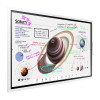
Flip 4 Pro (WM55B, WM65B, WM75B, WM85)
<1K views
Auto switch to laptop screen?
Hi there,
we connect our laptops via USB-C to a Logitech Meetup 2 conference camera, which is then connected to a Samsung Flip Pro WM75B via HDMI.
Whenever we plug in a laptop, we have to manually switch the input to "PC->HDMI1" on the Samsung display.
Is there a way to have this happen automatically?
Furthermore, in the flip settings, the menu points Power on Source Setting and Auto Source Switching are greyed out.
Thank you very much
Best Regards
 Related Questions
