 Zoom Inc.
Zoom Video Conferencing
2.1K views
What is a Breakout Room on Zoom?
How do I enable Breakout and use it? Can you record a meeting while you’re in a Breakout Room? Any tips and info to get started will be much appreciated.

 Zoom Inc.
How do I enable Breakout and use it? Can you record a meeting while you’re in a Breakout Room? Any tips and info to get started will be much appreciated.
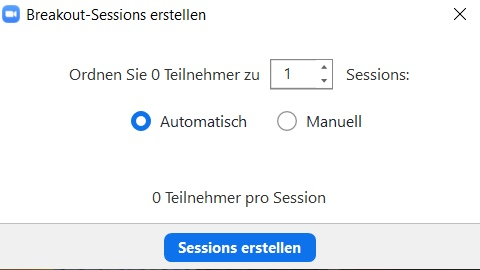
Zoom Breakout Room is a virtual side room. It allows you to divide a large Zoom meeting into up to 50 separate sessions (up to 200 if you have the Large Meeting add-on). The host has the ability to manually or automatically split the participants' sessions, and can switch between sessions at any time. Participants in the side room can still share audio/video and screens. As for session recording, cloud recording records only the main room, regardless of which side room the host is in, while local recording records the room in which the attendee is located (multiple attendees can record).
To use this function, it must first be activated via Admin:
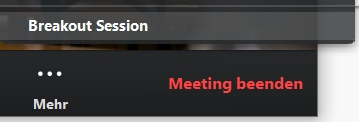
Now you have activated breakout room, during a meeting you can now manage breakout rooms automatically or manually. You will find the Breakout Room button in the lower menu during a meeting.
You know a better answer?
The question about Zoom Inc. has already been answered, but there may be a better solution or alternative available by now. If you know it, answer the question now and increase your reputation as an industry expert in our B2B community.
 Related Questions
Convert Scheduled into No Fixed Time meeting and retain meeting ID?
How can I convert a Scheduled meeting back into a No Fixed Time meeting and retain the same meeting ID? The Recurring No Fixed...
How can I display a picture of myself (instead of a video) in meetings?
How can I display a static image instead of a video stream in my meetings? In all descriptions on Zoom (German and English), some menus,...
Zoom - One Platform to Connect (Android App) Gallery View: How to get the view back in org. video format?
Currently, the Android app deviates from iOS and Windows in the gallery view by only showing a square section from the middle of the users'...
 Stay up to date on Zoom Inc.
Was the content helpful to you?