
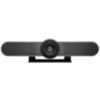
MeetUpLogitech
MeetUp
1.5K views

Blue cast after reboot?

Hello,

We have a conference room equipped with TV and Meetup. If we now start the PC and then test the camera has a blue cast.

About the camera settings software I then see that the is on 50Hz. When I click on Restore Default it switches to 60Hz and the picture is good.

But the next time I reboot it's the same again. Why does not save this?

Answers

Hello,

I suspect that you are using the "Logitech Camera Settings" app. With this, there is a bug in older versions that the auto white balance and focus is disabled after unplugging (hence the blue camera image). I would recommend them to make the settings once (50Hz / auto focus / auto white balance) and then uninstall the app.

over9k
over9k / expert (2327)
 
Top answer

Hello,

we have exactly the same problem: after every reboot the "Auto White Balance" is disabled.

The tip to uninstall the software "Logitech Camera Settings" may work, but is not really desirable for us: the camera was purchased to be able to adjust zoom and viewing angle. After uninstalling the application, this would also no longer be possible - or am I mistaken there?

We are using version 2.10.4 from 2019-08-07, which can be downloaded from https://prosupport.logi.com/hc/de/articles/360039590074-Downloads-MEETUP&mID=13387. Is there an updated version somewhere?

Would be happy to find a solution to this really unspeakable problem.

You know a better answer?

The question about Logitech has already been answered, but there may be a better solution or alternative available by now. If you know it, answer the question now and increase your reputation as an industry expert in our B2B community.

Related Questions Related Questions

Receive Important Update Messages Stay up to date on Logitech

Was the content helpful to you?

Advertisement Advertise here?
Banner Logitech

